
Senda beta
Senda
A local pipeline for small creative projects
Senda helps artists, freelancers, and small studios organize creative projects from a single local interface. Scan project folders, review renders, track versions, log work time, and create invoices without depending on external pipeline services.
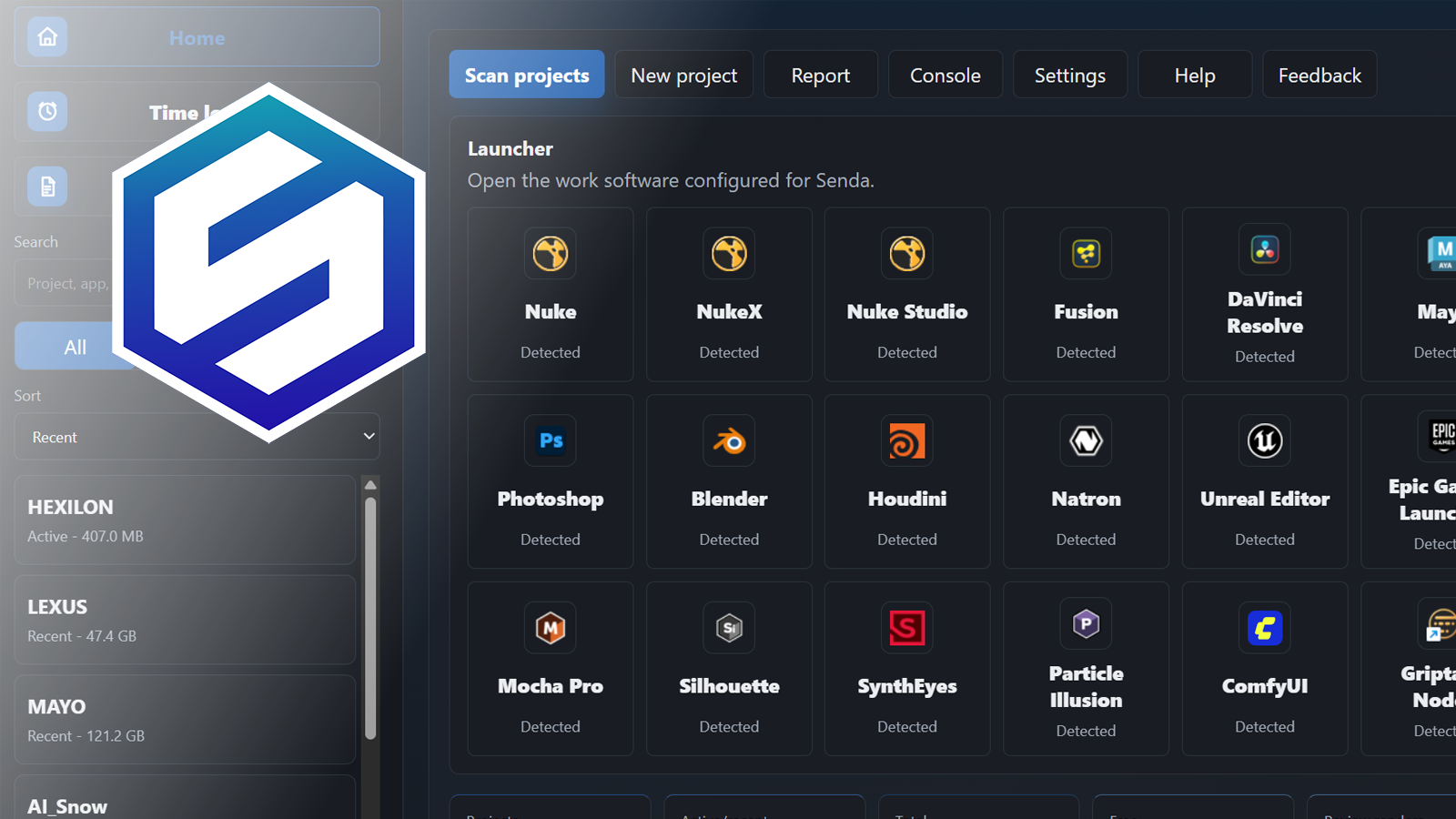
Overview
Your project folder, turned into a control panel
Most small creative projects live inside folders: renders, source files, outputs, previews, notes, versions, and deliveries. Senda reads that structure and turns it into a clear dashboard where you can understand what is happening in each project at a glance.
Project Insight
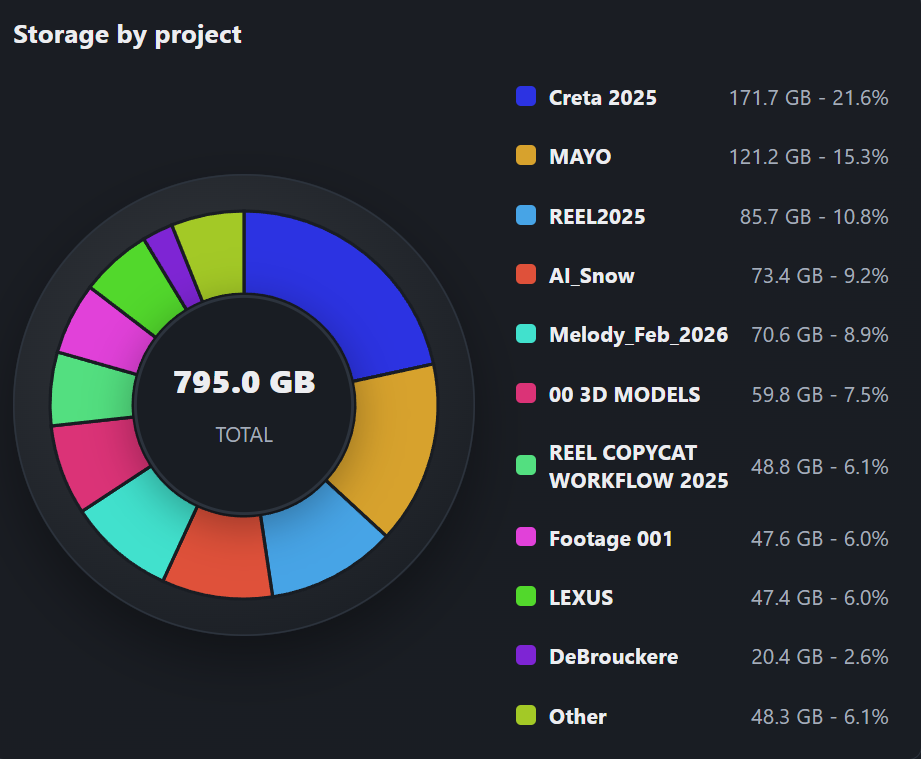
See what your projects are really using
Senda gives you a visual overview of your projects folder, including how much space each project occupies, which projects have been active recently, how much free disk space remains, and where potential review items or warnings may need attention.
Software Launcher
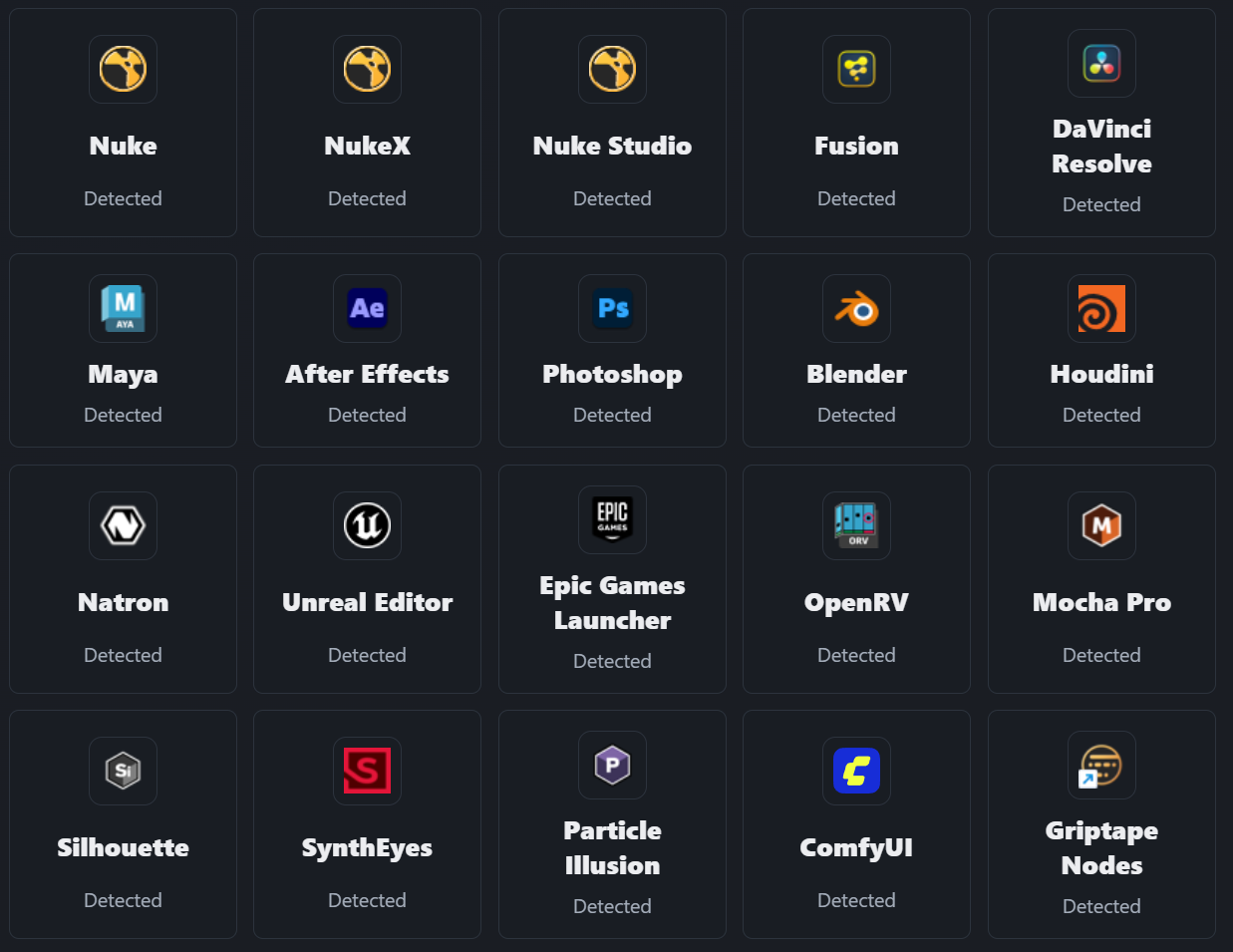
Open your creative tools from one place
Senda can detect the creative software installed on your workstation and show it in a launcher inside the Home screen. From there, you can quickly open the tools you use most often without searching through folders or shortcuts.
Project Scanning
Scan your local projects folder and see project size, activity, recent files, warnings, renders, outputs, and available disk space.
Render Review
Group renders by shot and version, detect image sequences as a single render, generate thumbnails, and open media in OpenRV.
Output Tracking
Organize deliverables by shot, sequence, version, status, and artist assignment.
Work Files
Detect work files from Nuke, Fusion, Maya, Blender, Photoshop, After Effects, Unreal Engine, and more.
Time Logs
Track working time by project, task, or shot. Start timers, edit entries, and review logs by date.
Billing and Bids
Create PDF invoices and bids using project data, time logs, taxes, client information, and editable templates.
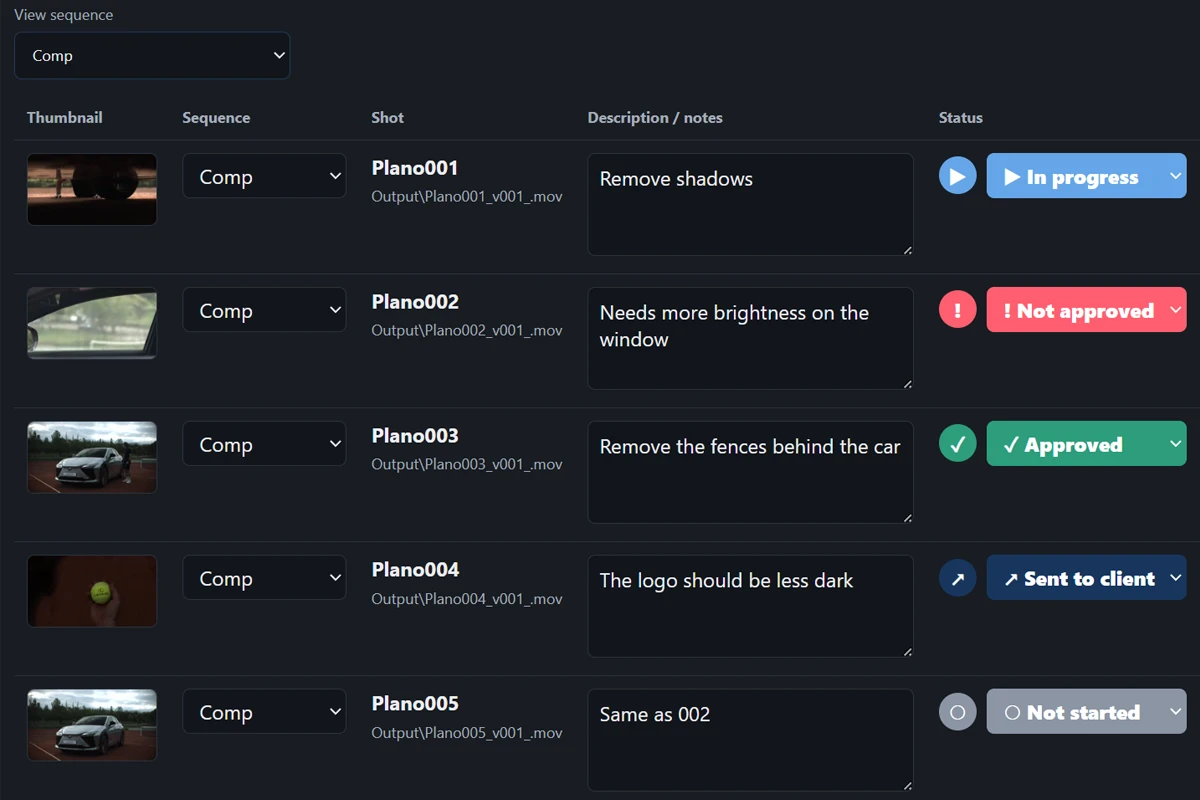
Review shots and versions
Keep renders, plates, outputs, sequences, artists, and approval status organized in one place.
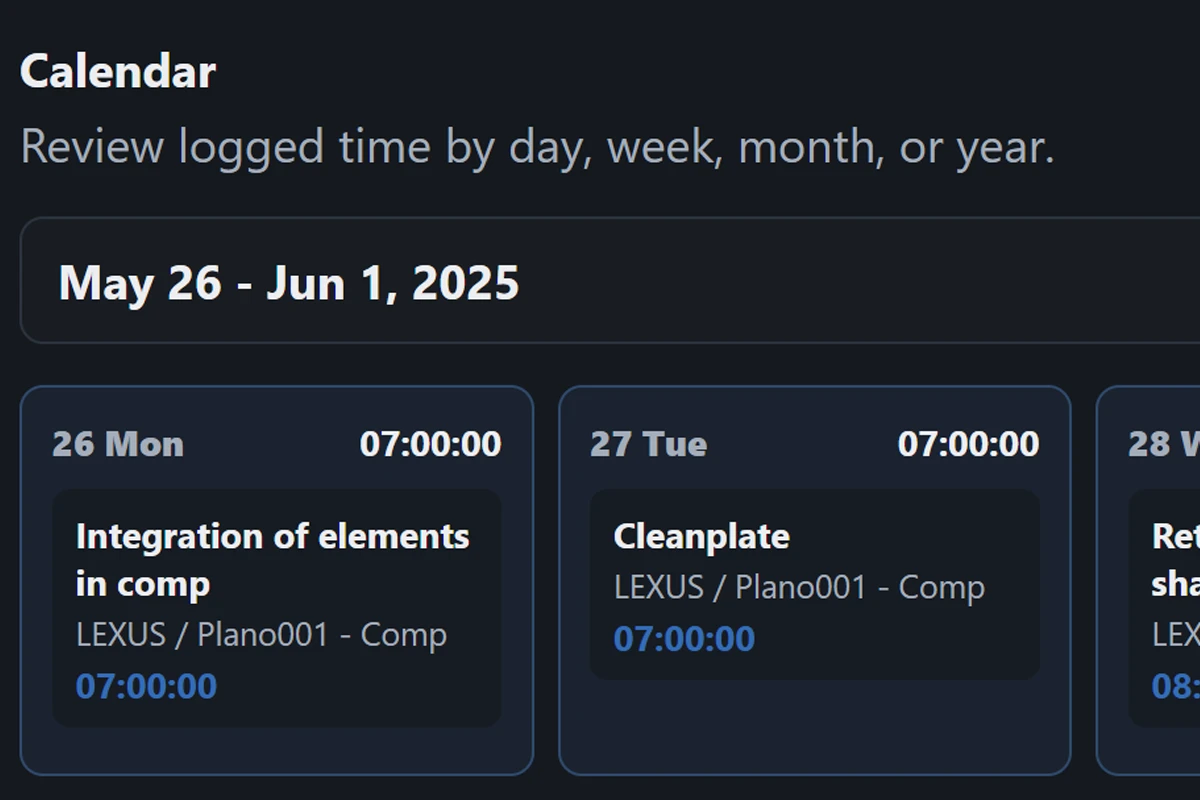
Track working time
Log time manually or with the built-in timer, then use that information later for billing.
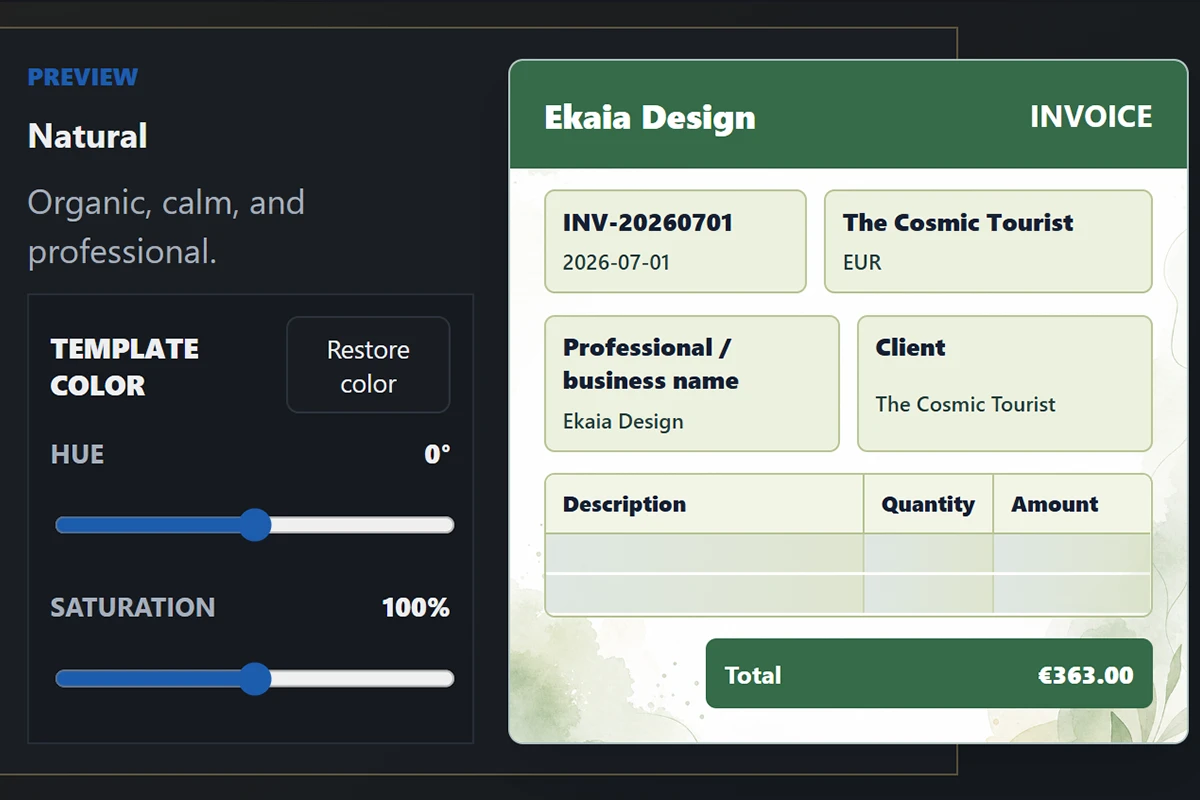
Create invoices easily
Use a guided workflow to prepare professional PDF invoices and bids.
Visual Themes
Make Senda feel like your own workspace
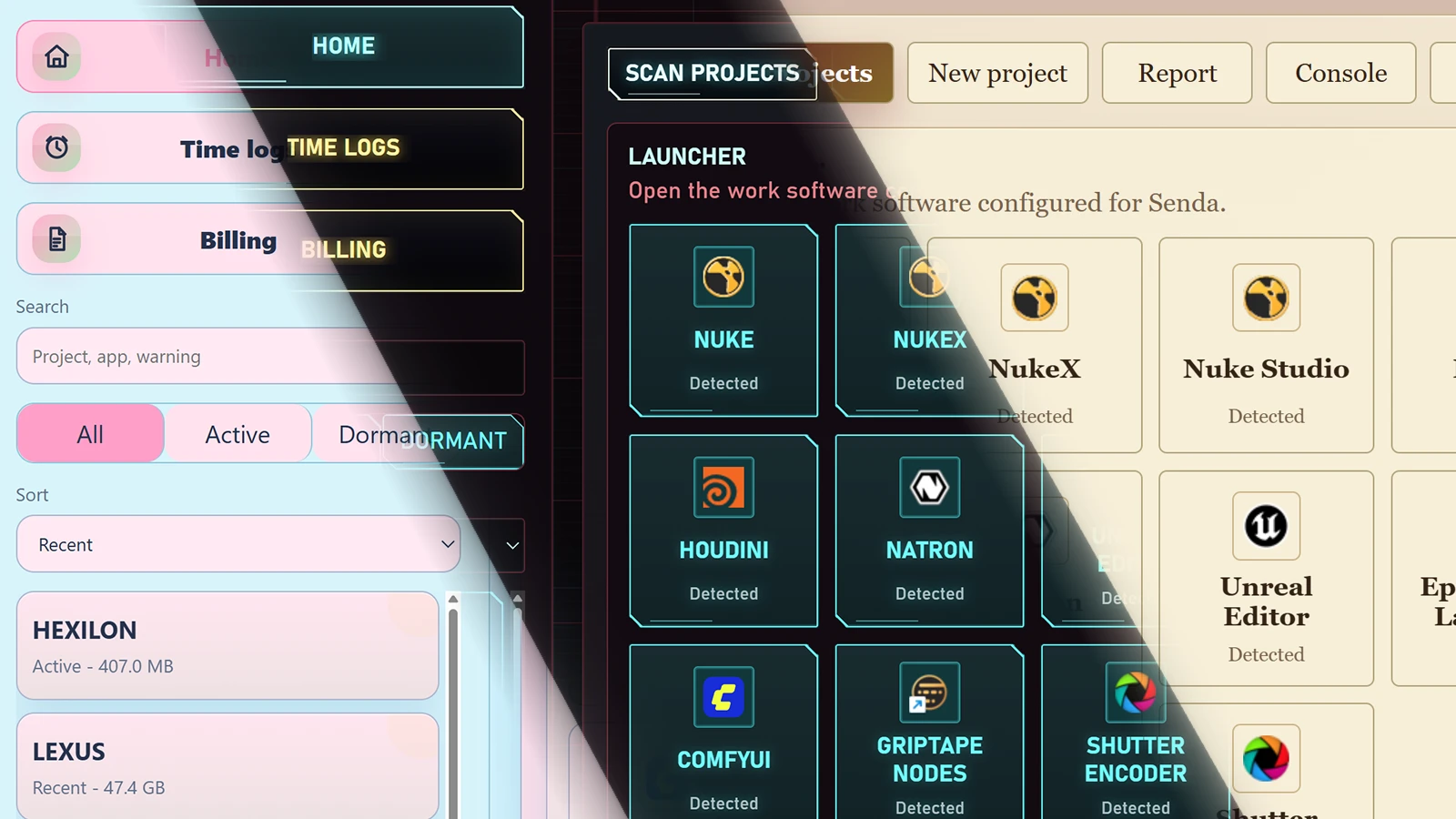
Senda includes several visual themes designed for different moods and ways of working: clean system themes, darker interfaces, playful styles, retro looks, cinematic sci-fi layouts, and more expressive designs.
Themes do not change how Senda works. They simply let each user shape the interface into something more comfortable, personal, and enjoyable.
Workflow
From project to invoice
Choose your projects folder and let Senda detect what is inside.
Review renders, outputs, work files, shots, versions, and project metadata.
Log time while working across projects, tasks, and shots.
Create PDF invoices or bids using your real project data.
System Requirements
What you need to run Senda
Senda is designed for local Windows workstations used in creative production, VFX, motion graphics, editing, 3D, design, and small studio workflows.
Operating System
Windows 10 or Windows 11. A 64-bit system is recommended.
Hardware
A modern workstation or laptop with at least 8 GB of RAM. 16 GB or more is recommended for large projects.
Storage
Enough free disk space for your projects, renders, thumbnails, cache, backups, and exported documents.
Browser
A modern browser such as Chrome, Edge, Firefox, Brave, or another Chromium-based browser.
OpenRV
Optional but recommended for reviewing renders, image sequences, plates, and outputs directly from Senda.
Internet
Only required for downloading Senda, checking updates, opening GitHub releases, or sending feedback.
Download
Download Senda
For everyday work
Senda 0.2.5 beta
Recommended for production work. Experimental builds are never offered through this channel.
For beta testing
Senda 0.2.7-alpha
Includes the newest improvements and features before they reach the stable channel.
Use this version only for testing. It may contain bugs, change behavior, or cause data loss if used on important work.